Video Plus
TomorrowStandard · Monthly
$4.99
Next charge Oct 2
DetailsSubscription tracker for iPhone
Turn website memberships, app subscriptions and recurring bills into cards in your wallet. Renewal reminders, spending stats and price watching, all at a glance, so nothing renews unnoticed.
Free to download · No account needed · Your data stays on your iPhone and iCloud
Standard · Monthly
$4.99
Next charge Oct 2
Details$0.99/mo · charges Oct 4
$1.99/mo · charges Oct 12
$19.99/mo · charges Oct 17
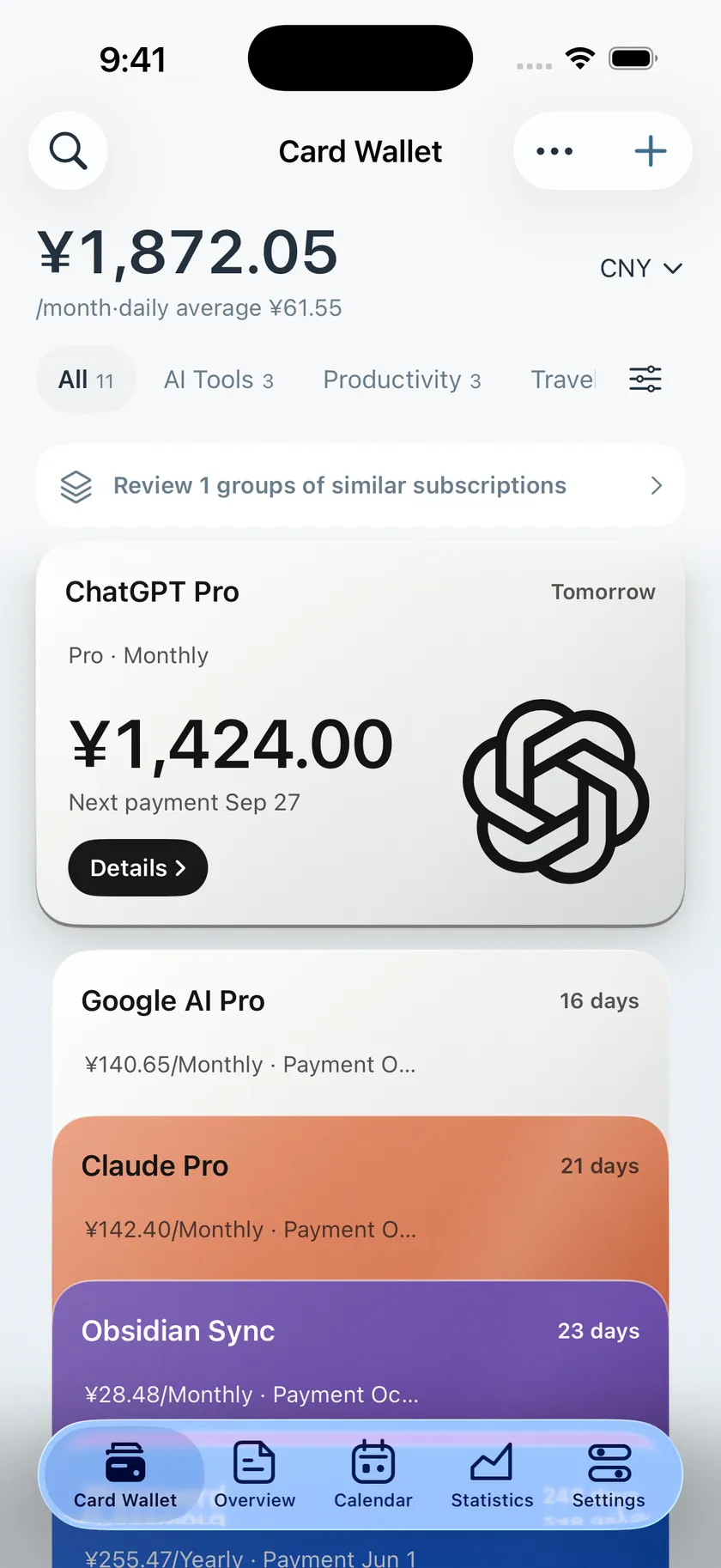
Wallet
Each card is one membership: service, amount, billing cycle and next charge date. Sorted by charge date, so you know what to renew and what to drop.
Get notified before a charge, so you decide whether to keep it.
Monthly and yearly totals with a daily average, plus multi-currency conversion.
Track prepaid balances for each platform alongside your subscriptions.
Features
From entry to reminders, from stats to backup, every step is kept simple.
One card per membership, with card colors that follow the brand. Categories, search and duplicate checks included.
Automatic alerts before a charge. Never miss a trial ending or an expiry date.
Monthly and yearly spending and daily averages at a glance, split by category.
Track prepaid balances per platform, managed together with your subscriptions.
Keep an eye on App Store in-app purchase prices.
See the next charge on your Home Screen and connect Cardeyra to your automations.
Sync across devices. Your data lives in your own private iCloud database.
Lock with Face ID and hide amounts and names when others are around.
Back up to your own WebDAV service and restore any time.
Add a subscription from a screenshot: on-device OCR by default, optional AI. Images are uploaded only when you tap.
Many currencies with exchange-rate conversion, so overseas subscriptions compare fairly.
简体中文, 繁體中文, English, 日本語, 한국어, Français, Deutsch, Español.
Privacy
No ads, no tracking. Your data lives on your iPhone first; with iCloud sync turned on, it stays in your own iCloud.
Subscriptions, payment methods and wallet balances are kept on your device by default.
With iCloud sync (Pro), data goes to your private database. We cannot access it.
Protect your subscription list with Face ID, even if someone picks up your phone.
Hide amounts and names so you can check in public.
Price watching
Pick the apps you care about. Cardeyra reads public App Store prices, records changes, and lets you compare quotes across regions.
Reads public App Store pages; no personal information is sent
View in-app purchase quotes and popular plans by region
See price changes at a glance
Monthly plan · example
Sample data. Actual App Store prices apply.
$21.99$19.99
Widgets & Shortcuts
Put the next charge and monthly spending on your Home Screen, and plug Cardeyra into your own automations with Shortcuts.
Several sizes to check upcoming charges and monthly spending.
Call Cardeyra from Shortcuts and build your own automations.
Basic widgets are free; Pro adds every style.
Wallet covers
Beyond the built-in covers, we add new ones from time to time, available in the app right away.
 Mist Blue Bifold
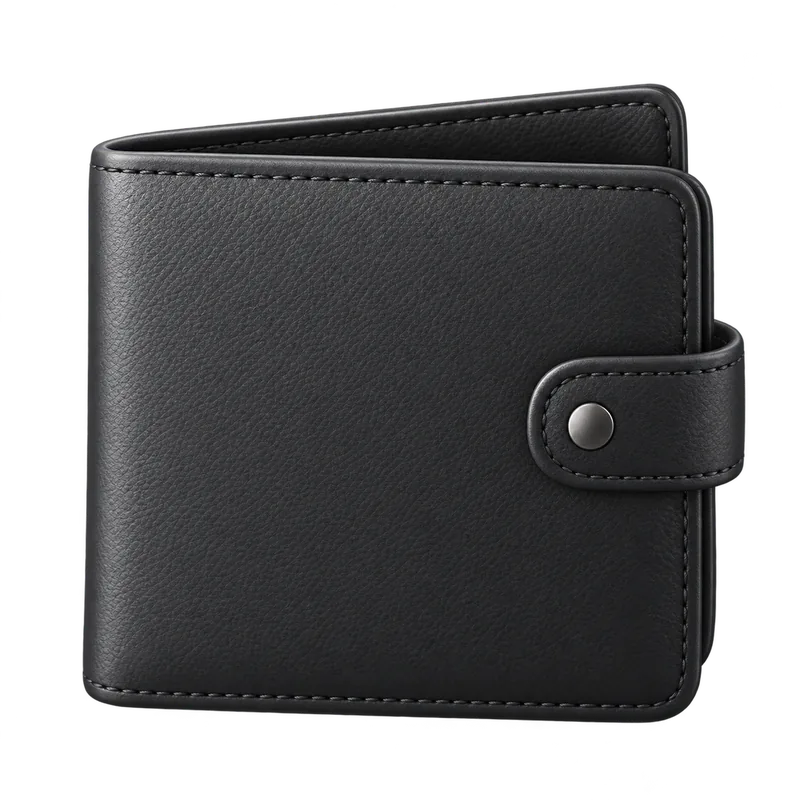 Obsidian Clasp Wallet
 Sage Weave Clip
 Cognac Coin Clip
 Burgundy Envelope Clip
 Mist Blue Pouch
Cardeyra Pro
Core features are free forever. Pro unlocks 16 advanced features: pay once, or subscribe yearly. Prices are shown in your local currency in the app.
The essentials for tracking and reminders, free forever.
On top of Free, unlock more:
Pay onceLifetime
Per yearYearly
FAQ
No. An account is optional and the app works fully without one. Signing in (with Apple) is mainly for syncing your Pro access across devices and platforms, and you can delete it any time in the app or on this site.
On your iPhone. With iCloud sync (Pro) turned on, it is stored in your own private iCloud database, which the developer cannot access. See the Privacy Policy.
No. Cardeyra only records and reminds. It does not connect to your payment accounts or cancel anything for you; you still cancel with the service or in your Apple Account settings.
Core features are free forever. Pro unlocks 16 advanced features as a one-time purchase or a yearly subscription, shown in your local currency in the app. See the Pro page.
By default it uses on-device OCR and images never leave your phone. Only when you tap AI recognition is the image sent to our server and forwarded to a model provider; the server does not store the image or the recognized text.
From public App Store pages. A lookup sends only the app ID and region, no personal information. The data is public and may be incomplete.
Simplified Chinese, Traditional Chinese, English, Japanese, Korean, French, German and Spanish, with multiple currencies and exchange-rate conversion.
Delete your account in the app under Settings → Account → Delete Account, or on the delete account page. Subscription data lives on your device and iCloud and can be cleared in the app.

Download Cardeyra for free. Core features are free forever; upgrade to Pro when you need more.
For iPhone · 8 languages